Discord's Early Supporter badge is one of the most sought-after status symbols in the account marketplace. It tells everyone who views your profile that you had Discord Nitro on or before 10 October 2018 — the badge was a thank-you to the platform's earliest paying users.
Today, the badge can never be earned again. The only way to get one is to buy an account that already has it. That scarcity has made Early Supporter accounts some of the most faked, spoofed, and misrepresented listings in the entire digital-asset resale market.
This guide walks you through every verification step you should run before you release escrow funds. Follow it line by line to rule out the common fake-badge tricks.
What the Early Supporter badge actually is
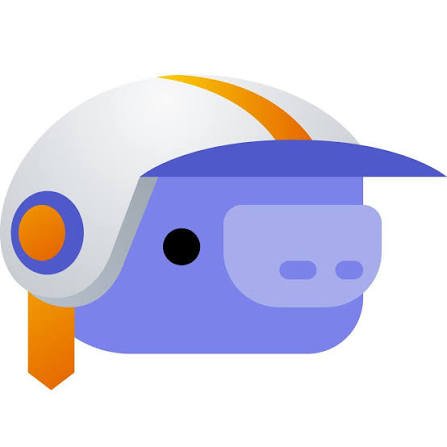
The Early Supporter badge appears in the badges row of a user's profile. It was awarded automatically to every account that had an active Nitro subscription on or before October 10, 2018 — the date Discord introduced the badge alongside the Nitro Classic tier.
Key facts you must know:
- It is permanently tied to the account. If the account has the badge, it will keep the badge forever — even if Nitro is cancelled, even if the account changes hands.
- It cannot be purchased, transferred, or re-earned. Discord stopped granting it after 10 October 2018.
- Identify it by its name, not its look. Hover over the badge on a live profile: the tooltip should read Early Supporter. Images are easy to edit.
- It signals account age. Because the badge required Nitro before Oct 2018, every Early Supporter account is at least 6+ years old, which makes it valuable for trust, verification bypass on certain servers, and collector appeal.
Why Early Supporter accounts get faked
Scammers fake the badge because buyers pay a premium for it. A standard Discord account might sell for $5–$20. The same account with an Early Supporter badge can sell for $50–$300+ depending on other factors (OG username, Nitro status, age). That 10–20× price multiplier is the incentive.
The three most common fake-badge tactics:
- Screenshot doctoring — the seller edits a profile screenshot to paste the badge onto a regular account. By the time you log in, the badge is gone.
- Browser extension overlays — a seller installs a CSS-injecting extension that renders a fake badge on their profile screen-share, then removes it after the sale.
- Account swapping — the seller shows you a genuine Early Supporter account during negotiation, then hands over different credentials at transfer time (a "bait-and-switch").
Every one of these scams is defeated by the verification checklist below.
The pre-purchase verification checklist
Run every one of these checks inside the Discord client (not via screenshots) after the seller shares login credentials — but before you click "Confirm delivery" in escrow.
1. Log in to the account yourself
Do not accept a screen-share as proof. Insist on receiving the actual login credentials (email + password) while the deal is in escrow. If the seller refuses, walk away — this is the #1 red flag.
2. Open the profile pop-up
Click your own avatar in the bottom-left corner of Discord, then click your username in the pop-up. The full profile card appears. The Early Supporter badge — if present — will be displayed in the badges row beneath your username.
3. Confirm the badge by its name, not its look
Judge the badge by what Discord says it is, not by how it looks in an image:
- Hover over it on the profile you are logged in to. The tooltip names the badge, and it should read Early Supporter.
- Check what sits next to it. A Nitro or HypeSquad House badge beside it is normal. A developer badge can only be Early Verified Bot Developer: Discord removed Active Developer from every profile in December 2025, so an image showing Early Supporter with Active Developer is out of date.
- Compare it with Discord's own list in the Profile Badges 101 article of Discord's help centre, which describes every current badge.
If hovering shows no tooltip, or a different name, the badge is not what the listing claims. A badge that appears in a screenshot or screen share but not when you log in yourself during escrow proves nothing. For the other badges an account might carry, see our guide to Discord badges, or browse Discord accounts with rare badges.
4. Check the "User Settings → Nitro" page
Open User Settings (the gear icon) → Nitro. If the account currently has an active Nitro subscription, you'll see the plan details. If Nitro was cancelled (common for Early Supporter accounts that haven't kept up the sub), the page will show "Nitro" with a "Subscribe" button — that's fine, the badge persists.
What's not fine: if the Nitro page shows an error, the subscription was refunded/chargebacked, or the account was flagged for fraud. A chargebacked Nitro can sometimes strip the badge. Contact Discord support to confirm if unsure.
5. Verify account age independently
Early Supporter accounts must be at least 6+ years old. Cross-check:
- Profile creation date — not directly visible in the client, but if the seller has the original welcome email from Discord, that's strong evidence.
- First messages — scroll to the oldest message the account has sent in any server. A genuine Early Supporter account will usually have messages from 2017–2018.
- Discord snowflake ID — if you can extract the user ID (Developer Mode → right-click → Copy ID), the timestamp is encoded in the first 42 bits. Tools like discord.id decode it to a creation date. It should read before October 2018.
6. Check for red flags in the account
While logged in, check:
- Email verification — User Settings → My Account → "Email" should show "Verified".
- Phone verification — if a phone is linked, you'll need the seller to remove it before transfer (otherwise they can reclaim the account via SMS recovery).
- 2FA / backup codes — if 2FA is enabled, demand the backup codes. Without them you'll be locked out.
- Recent login alerts — check the email inbox for "New login from…" alerts. Multiple recent logins from different countries suggest the account is being shopped around to multiple buyers simultaneously.
- Server ownership — if the account owns any servers, those transfer with the account. Confirm they're not scam servers that could get the account banned.
- Trust & Safety status — check the inbox for any messages from Discord's Trust & Safety team. A flagged or recently-appealed account is a liability.
7. Change every recovery option before confirming
This is the step that actually secures your purchase:
- Change the password immediately.
- Change the email to your own (Discord sends a confirmation to the new email — click it).
- Remove any linked phone number (or replace it with your own).
- Enable 2FA with a fresh authenticator app and save the backup codes offline.
- Wait 24 hours before confirming escrow release — some Discord security events (like email change) have a cooldown during which the previous email holder can revert. If the seller hasn't tried to reclaim in 24 hours, you're safe.
8. Only then confirm escrow
Once every box above is checked, you can confidently click "Confirm delivery" in your Escrozon deal. The funds release to the seller, and the account is yours.
Common seller excuses — and what they really mean
| Seller says | What it usually means | What you should do |
|---|---|---|
| "I can't share login until you pay" | They have no real account, or it's a bait-and-switch | Walk away. Escrow exists precisely so you can inspect before paying. |
| "The badge is there, just trust the screenshot" | Screenshot is edited | Insist on live login. No login, no deal. |
| "I already gave it to another buyer, hurry up" | Pressure tactic to skip verification | Ignore. Your escrow inspection window is yours to use. |
| "Discord removed the badge temporarily" | The badge was faked or the account was flagged | Walk away. A genuine badge doesn't get "temporarily removed". |
| "Just pay outside escrow, it's faster" | Textbook scam | Report the seller and block. |
| "The account is 5 years old but has Early Supporter" | Impossible — the badge required Nitro before Oct 2018 | The badge is faked. Walk away. |
What to do if you've already been scammed
If you bought an account and discovered the badge was faked after confirming escrow (the payment has usually been released by then, so a refund may not be possible; that is why the checks above come first):
- Open a dispute immediately in your Escrozon deal. The moderator can review the deal chat — if the seller represented the badge as genuine, that's fraud and you may be eligible for a refund from the escrow hold.
- Do not contact the seller off-platform. All communication must stay in the deal chat so the moderator can see it.
- Take screenshots of the account's current (badgeless) state, and of any profile-edit evidence if you can find it.
- Report the seller via the listing's report button so other buyers are warned.
Escrozon's escrow + dispute system exists precisely for cases like this. If you had paid the seller directly (PayPal, CashApp, or any direct transfer), the money would be gone forever.
The bottom line
The Discord Early Supporter badge is real, valuable, and permanent — but only if you verify it live, inside the Discord client, before releasing escrow. The 8-step checklist above takes about 10 minutes and defeats the fake-badge tactics described in this guide. Skip a step and you're gambling with your money.
Always use escrow. Always verify inside the client. Never pay outside the platform. Do those three things and you'll never lose money on a fake Early Supporter listing.
Ready to buy a Discord Early Supporter account? Browse Discord Early Supporter accounts on Escrozon. Your payment is held in escrow while you check the badge and secure the account.
Discord accounts & servers available now
19 listed · every sale held in escrow while you check the transfer
Where to buy safely
- Buy Discord Early Supporter Accounts — escrow-protected Early Supporter accounts.
- Buy Discord Accounts with Rare Badges — escrow-protected badge accounts.